//dousen/product
Three surfaces. One pipeline.
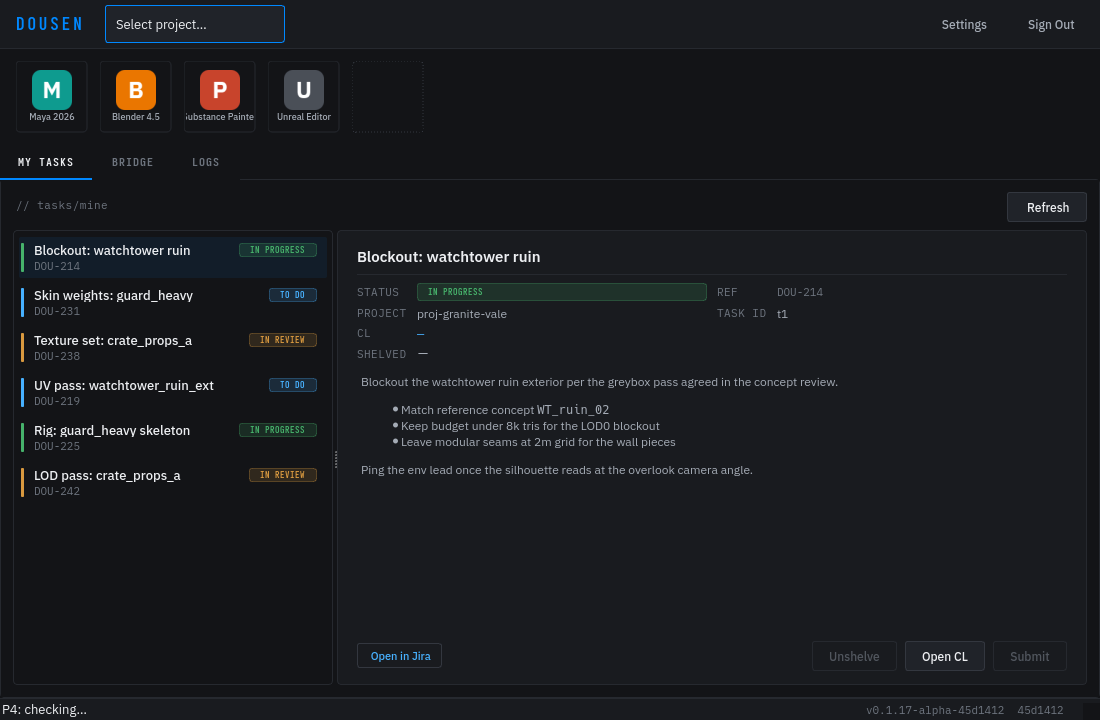
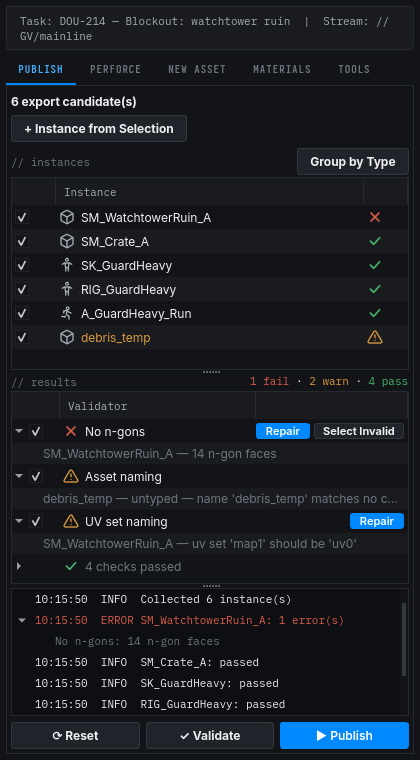
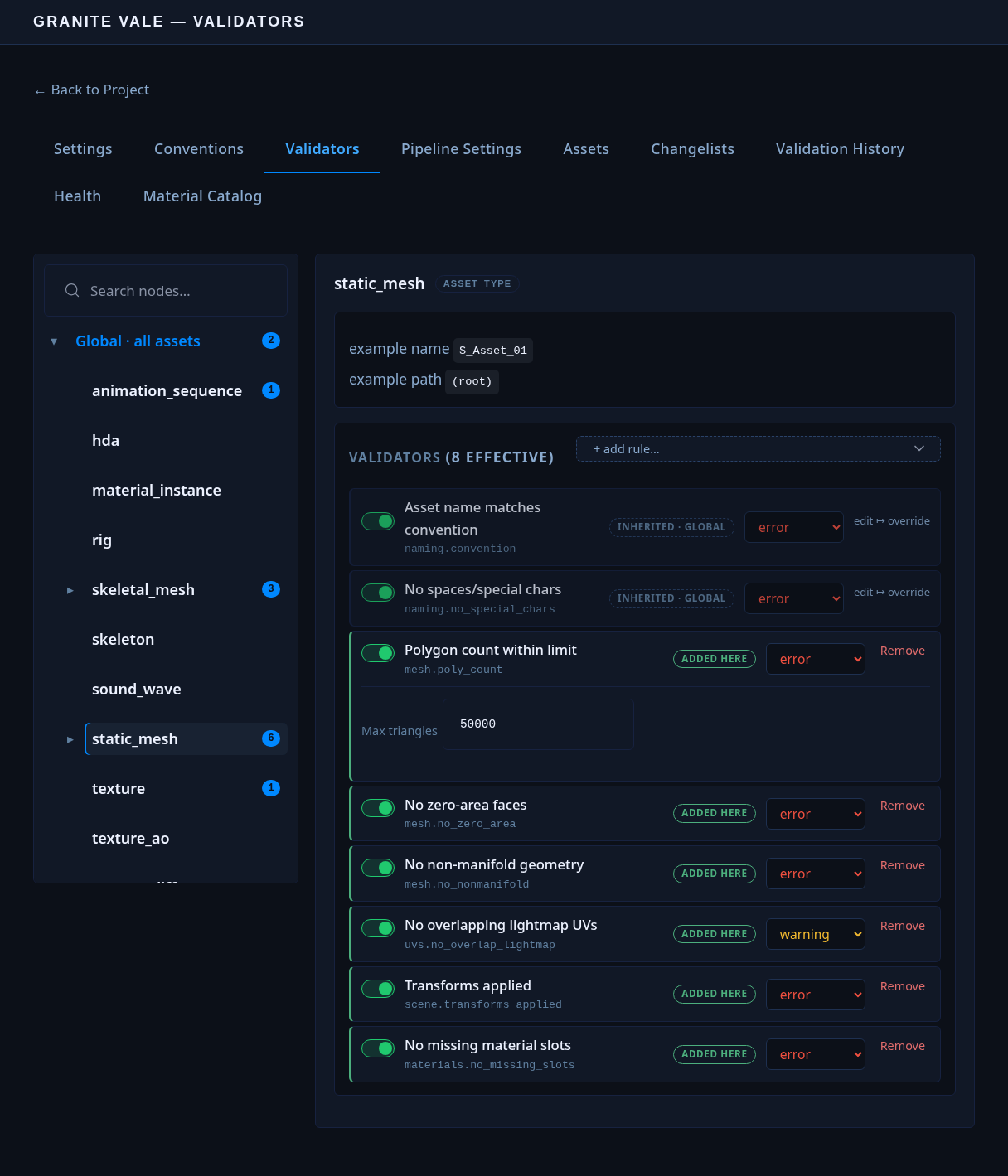
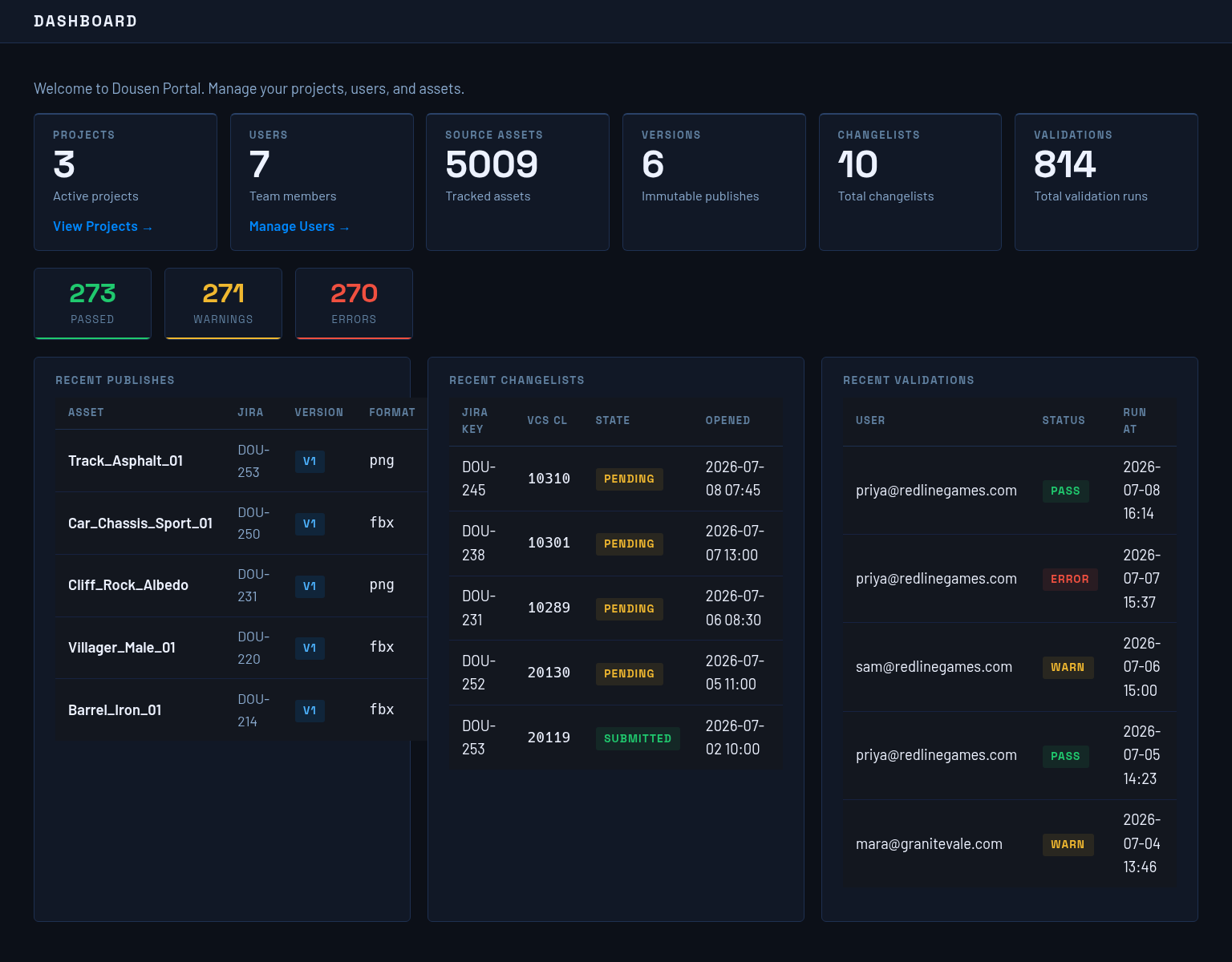
A tray app for artists, a publish panel inside every DCC, and a web portal for project admins — all talking to the same source of truth.
//dousen/main — built for Jira + Perforce studios
Dousen sits between Jira, Perforce, and every DCC in your studio. Changelists open themselves, tickets transition themselves, and assets land in Unreal with the right name, in the right folder.
One save. The artist never left Blender.
//dousen/features
Dousen listens to the events your artists already produce — saves, exports, submits — and does the bookkeeping nobody wants to do by hand.
on_save
Blender, Maya, Houdini, 3ds Max, Substance Painter, Substance Designer, and Unreal all talk to a local relay on the artist's machine. An export in one app is an event in every other — no watch folders, no "did you reimport?" messages.
pre_export
Naming conventions and validators are defined once, in YAML, per project and per asset type. A misnamed mesh or a wrong-scale export gets caught inside the DCC — not three days later in review.
on_submit
Every changelist is opened against a ticket. Submit the CL and the ticket transitions itself. File locks, checkouts, and stream info show up right inside the DCC, so nobody stomps anyone's work.
on_publish
Published meshes, textures, and animations reimport automatically into the correct content browser path. Right-click any asset in Unreal to open its source file in the DCC that made it.
//dousen/product
A tray app for artists, a publish panel inside every DCC, and a web portal for project admins — all talking to the same source of truth.
//dousen/setup
Point Dousen at your Jira project and Perforce server. Install the desktop app and DCC addons. A setup wizard walks you through — done in under 15 minutes.
Nobody learns a new tool. Dousen runs in the tray — routing events between DCCs, syncing changelists with Jira, and showing file lock status where artists are already looking.
Full traceability from Jira ticket to Perforce CL to Unreal asset. Validation history, asset versioning, and a web portal for project admins.
local relay :8766 — validation · routing · publish
CL open/submit · ticket sync · auto-reimport
Dousen is in free beta for pilot studios. Tell us about your team and which DCCs you run — or email [email protected] directly — and we'll have your studio set up this week.